A tracker for paid traffic. See every click, match every result.
Trackscales brings click tracking, conversion matching, reporting and spend into one place. Here is how each part works and what problem it solves.
Every click gets its own ID
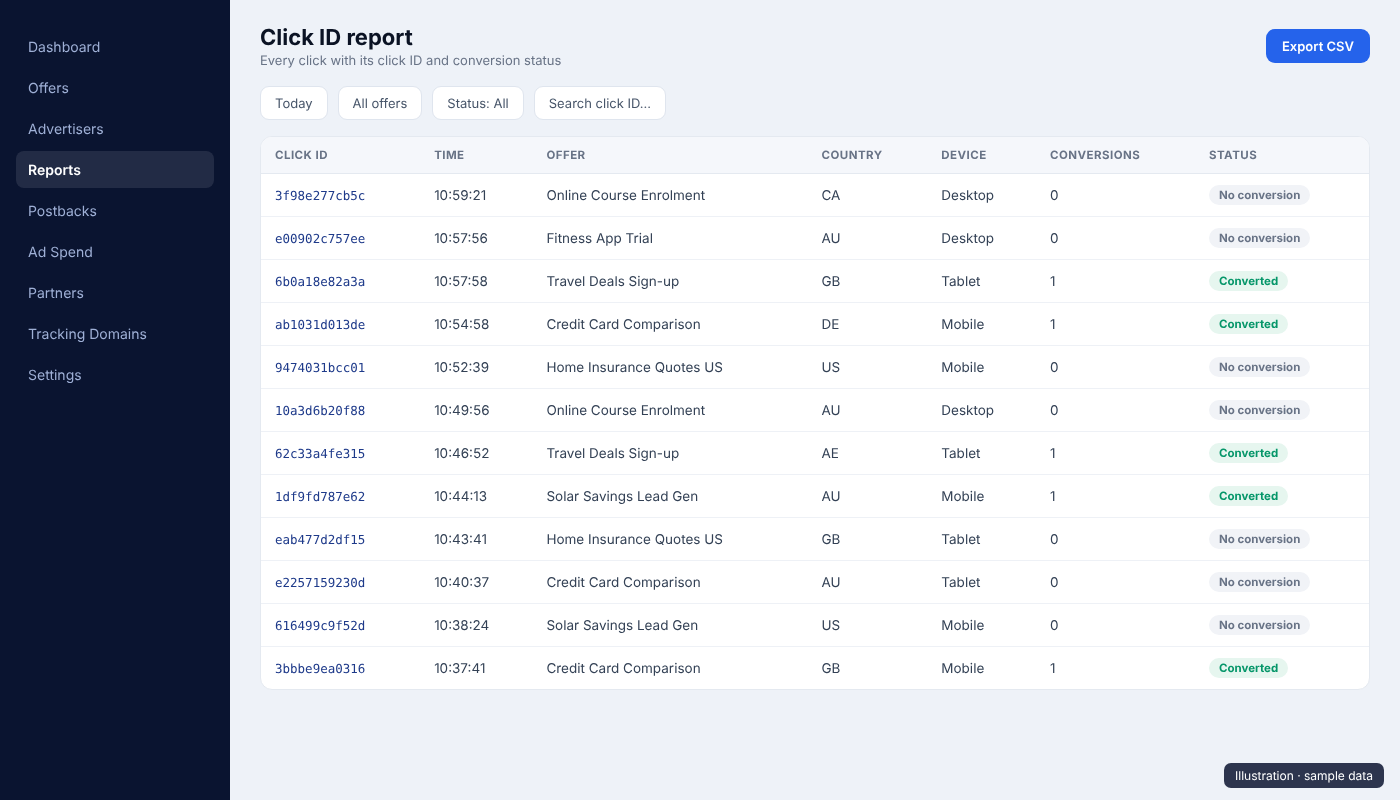
Trackscales creates a unique click ID for every click and stores it with the time, offer, advertiser, tracking domain, device, browser and approximate country, region and city. The click appears in the click log within seconds.
- Search every report by click ID
- Sub IDs sub1 to sub5 and source ID for traffic splitting
- Copy any click ID with one click
| Click ID | Time | Country | Status |
|---|---|---|---|
6f2a91c4 | 10:42:18 | AE | Converted |
b81e07d2 | 10:42:11 | GB | No conversion |
3c9d55aa | 10:41:57 | US | Converted |
e04f1b39 | 10:41:40 | CA | No conversion |
Server-to-server postbacks
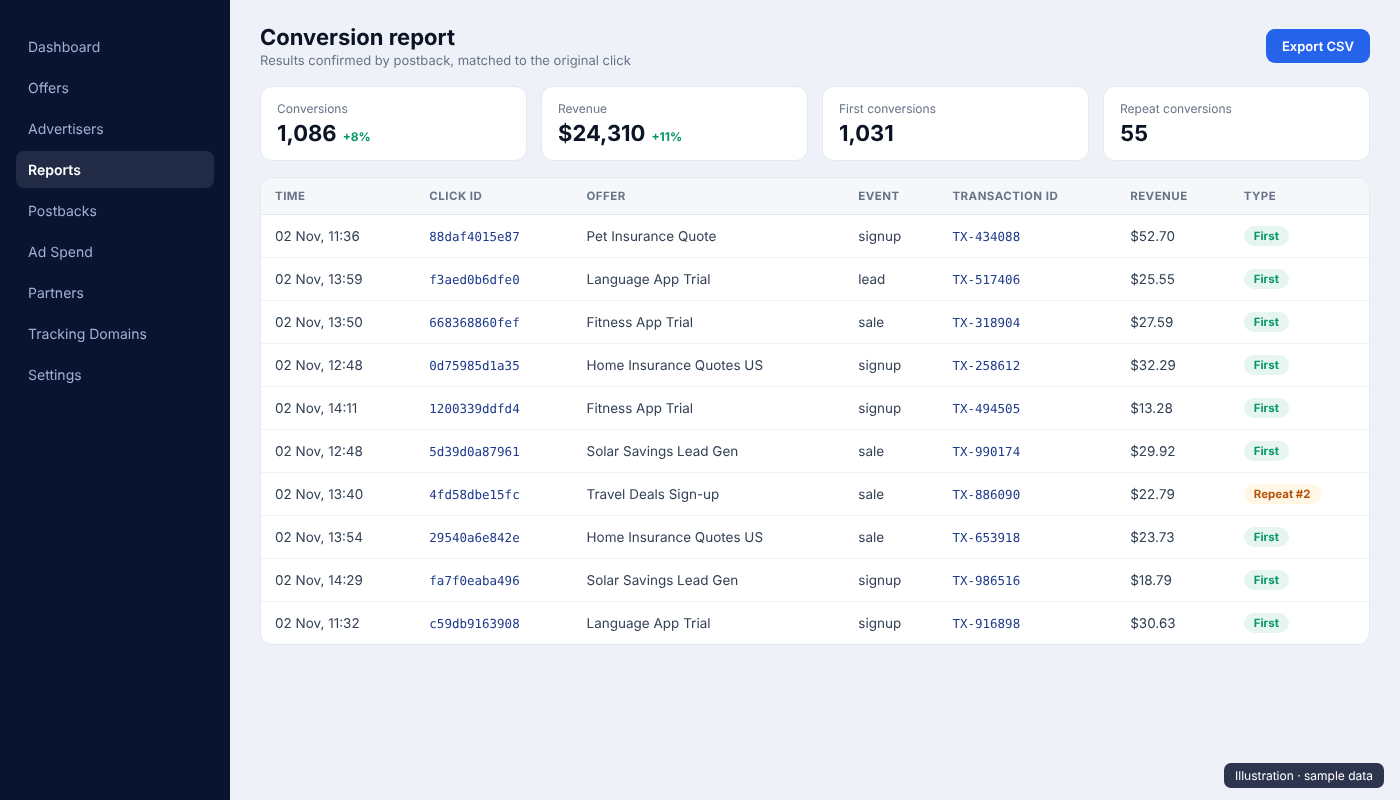
When a visitor signs up or buys, the advertiser or network sends a postback to Trackscales with the click ID, the event, a transaction ID and the value. We match it to the original click and count it once.
- Duplicate transaction IDs are rejected
- Optional secret key per advertiser
- Ready-made postback setups for common network platforms
Advertiser
Visitor signs up or buys
Postback
Server message with the click ID and result
Clean handling when one click converts more than once
Each repeat conversion on the same click gets its own row with a clear tag. If an offer uses manual approval, repeat conversions wait in an approval queue, and only approved repeats are counted.
- Repeat #2, #3 tags on extra conversions
- Approve or reject repeats from one queue
- Rejected results are never counted
| Result | What happens |
|---|---|
| First conversion | Counted at once |
| Repeat conversion | Own row, tagged |
| Pending repeat | Waits for approval, if set |
| Duplicate txn ID | Rejected |
Reports that answer real questions
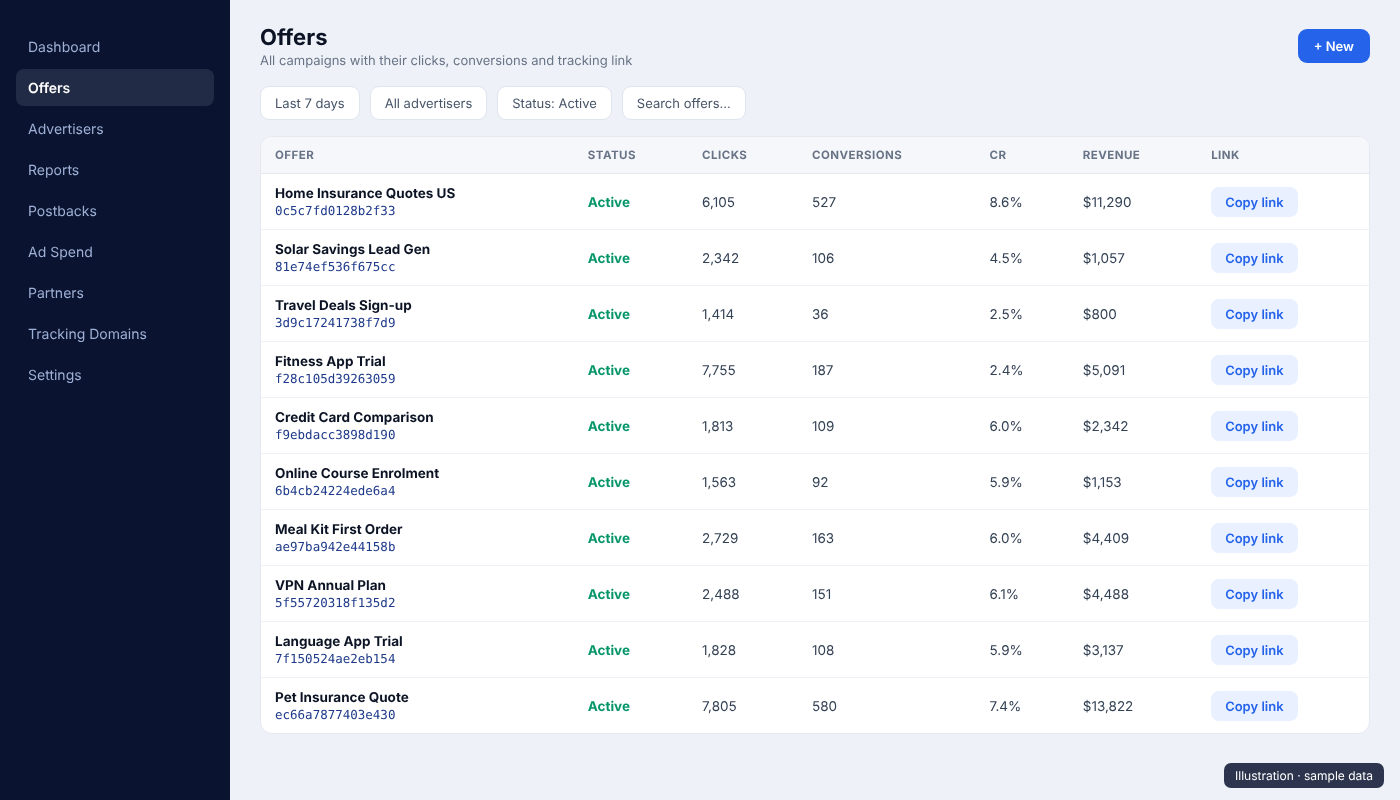
Offer, conversion, click ID and click log reports, all with filters for date range, time zone, offer, advertiser, partner and sub IDs. Numbers link through: click an offer's conversions to open the matching conversion report.
- Offer report: clicks, conversions, CR, revenue
- Conversion report: every result with its click
- Platform report: numbers pulled from connected networks
A compliant path for Google Ads
Google Ads clicks use go.trackscales.com/gclick with a visible redirect_url parameter. The tracker checks the request, records the click and answers with one 302 redirect to that exact URL. Invalid requests get an error, never a fallback page.
- Only host go.trackscales.com, only path /gclick
- Destination domain checked on our server
- No geo, device or duplicate redirects
# Request from Google Ads (parallel tracking)
GET /gclick?offer_id=OFFER_ID&redirect_url=https%3A%2F%2Fshop.example%2F
Host: go.trackscales.com

# Trackscales response
HTTP/1.1 302 Found
Location: https://shop.example/- One hop, straight to
redirect_url - No undisclosed intermediate hops
- Errors instead of fallback pages
How the dashboard looks
The dashboard is private. These illustrations show its main screens with sample data.
Want a closer look?
Ask us anything about the tracker and how we use it.